Finance and budgets
See project finances in the context of work
Make project spending understandable before the next approval. Connect budgets, obligations, acceptance records and payment plans to the work they support.
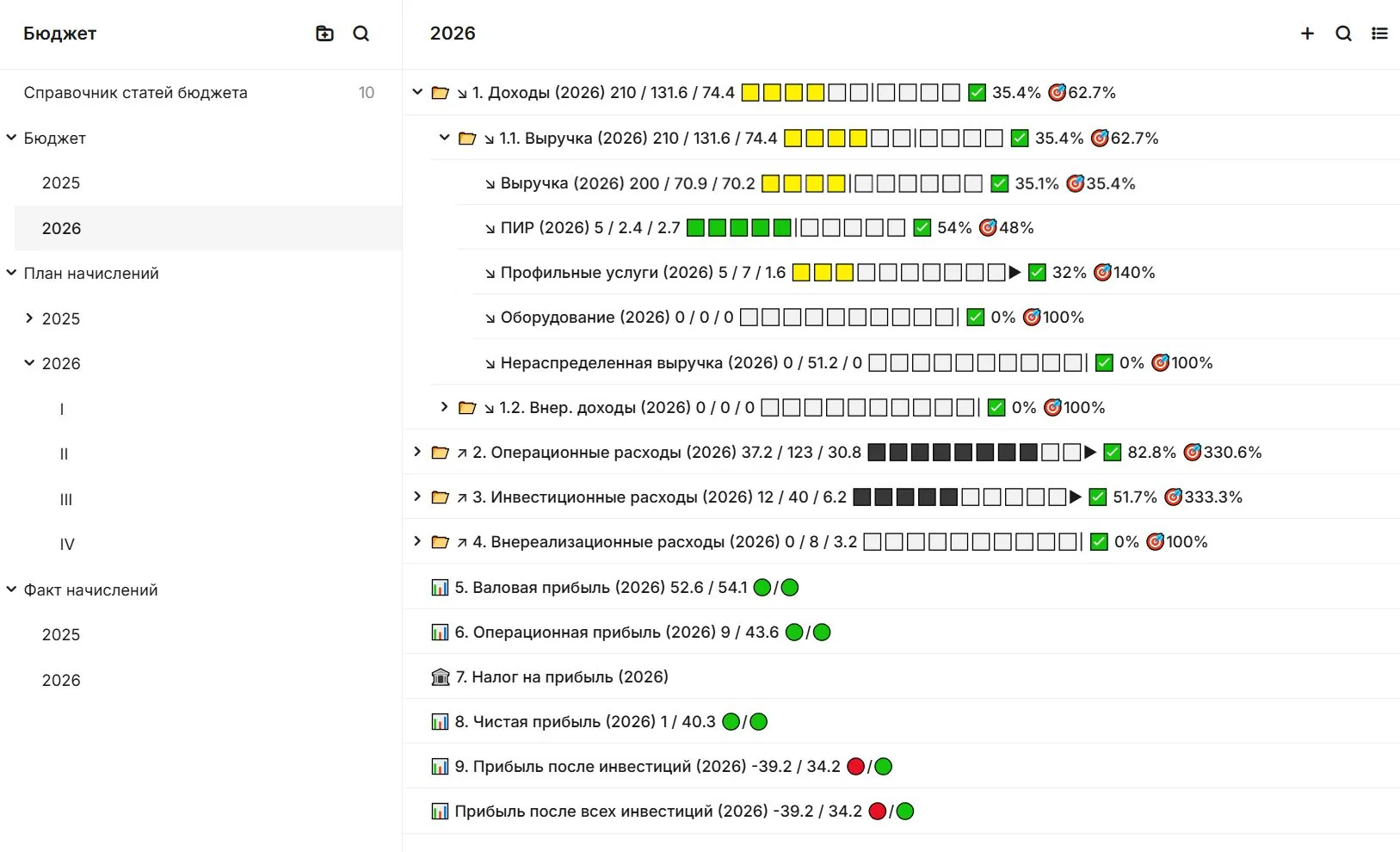
Connected work
Know what sits behind every budget line
A total alone cannot explain a project decision. Connect budget items to contracts, work and acceptance records so finance and delivery teams can read the same picture.
- PlanStructure budgets around the project and its work.
- CompareReview commitments and actuals against plan.
- ExplainOpen the supporting record behind an amount.
Capabilities
Plan and control project cost
Know what is budgeted, committed, accepted and coming due.
Estimates and costed work
Treat an estimate as a project record connected to working documentation, activities, issues and acceptance documents. See estimated value alongside the value of accepted work.
Project budgets
Build and control budgets with contracts, acts, tasks and project objects connected to each cost line. Understand planned and actual spending in the context of work and supporting documents.
Payment calendar
Plan upcoming payments from agreed work, schedules and approved supporting documents. Review needs by week or month, and manage a reservation or change within the agreed approval process.
Connected work
Plan payments with the work in view
Upcoming payments make more sense when the team can see the obligations, documents and progress they relate to. Approval remains with the people authorised by your process.
- Look aheadReview upcoming needs by period.
- Check the basisFollow a planned payment to its supporting information.
- Protect controlKeep approvals inside the configured route.
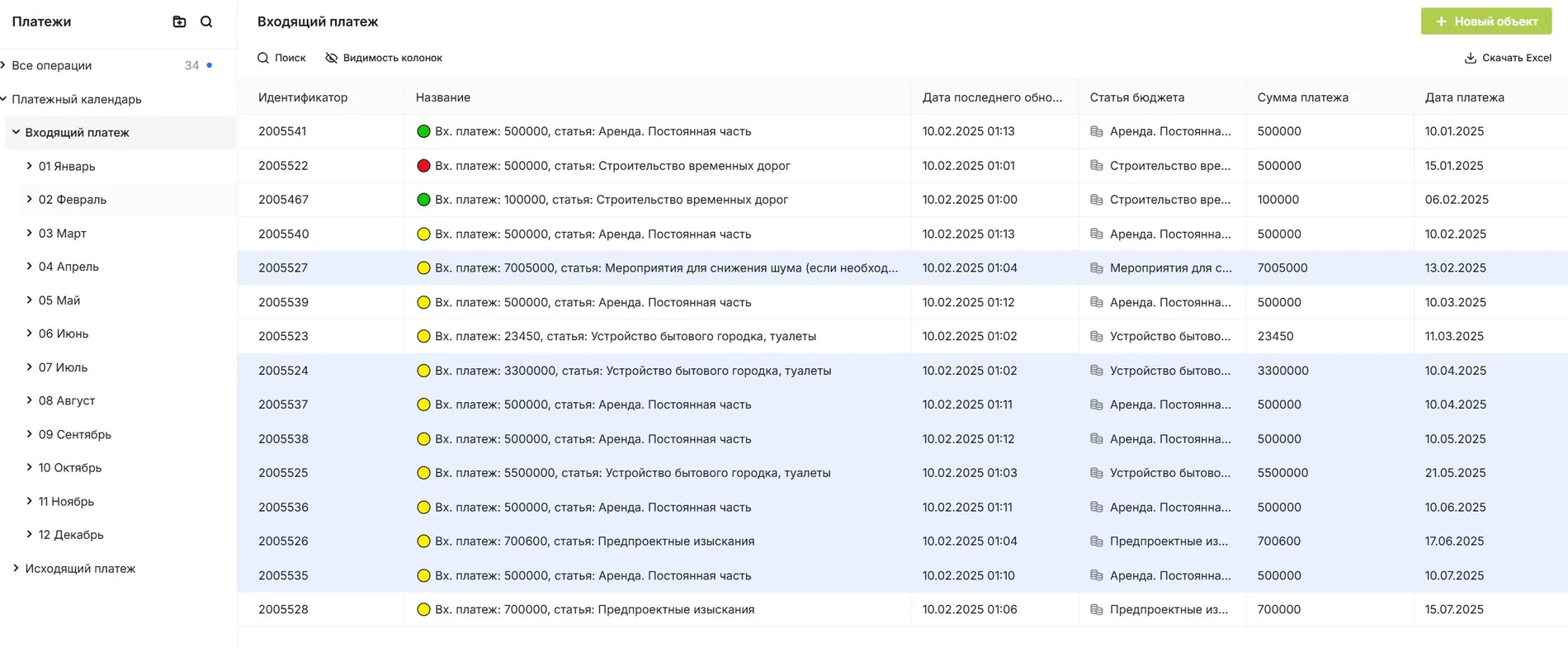
Capabilities
Keep the business context
Follow income, customer relationships and current indicators with the records behind them.
Space and lease management
See vacant, reserved and leased spaces in the building context. Manage tenant enquiries, agreements, service charges, invoices and payments through connected records.
CRM for projects and assets
Manage deals, organisations, assets and contacts in connected registers. Keep letters, agreements and acts in the context of the opportunity or project they belong to.
Analytics and dashboards
Build role-based dashboards from the data teams already maintain in SODIS 360. Reports update with the underlying records, reducing manual consolidation and supporting external BI through configured APIs.
Platform
One platform behind the functions
Extend the same data and workflows with configuration and governed AI.
Connected data model
Keep relationships between work, documents, assets and decisions available to every authorised team.
Low-code configuration
Create objects, fields, forms and routes that fit the way your organisation works.
AI and automation
Let permitted agents analyse connected information and prepare the next action for review.
Next step
Put project financial decisions in context
Tell us which budget or payment planning process needs a clearer link to work and evidence.