Business services
Keep company workflows connected to project work
Company workflows should not lose their project context. Coordinate tasks, correspondence, CRM records and internal services on the same platform as delivery work.
Connected work
Keep shared services close to project work
Contracts, correspondence, assignments and customer records often affect delivery. A common working environment helps teams see the request, its owner and the project context together.
- Assign clearlyGive each task an owner and deadline.
- Route documentsMove correspondence through review and approval.
- Keep contextLink company processes with the relevant project records.
Capabilities
Coordinate daily work
Keep requests, documents, people and customer context in the same environment.
Tasks and assignments
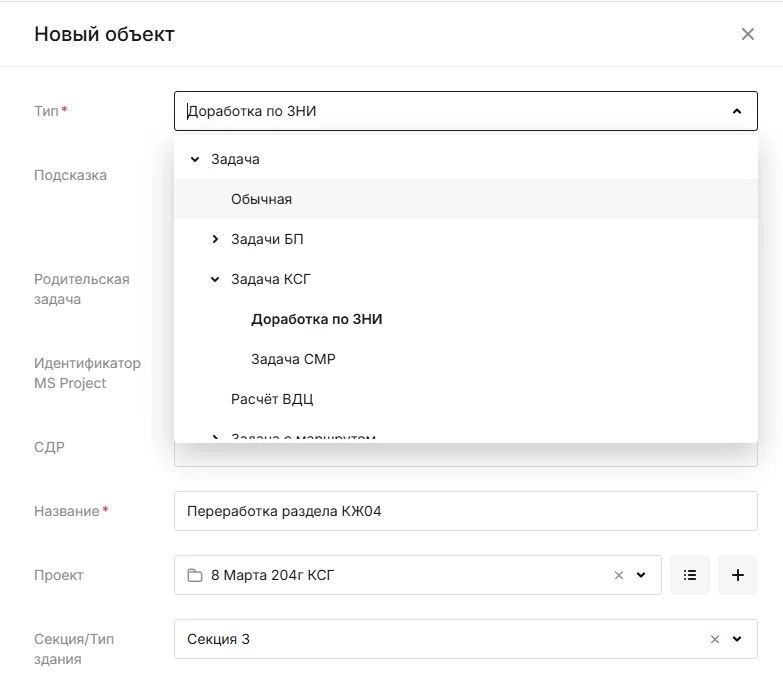
Create assignments with owners, participants, reviewers, deadlines and discussion. Link each task to the document, asset, company or service request that explains why the work is needed.
Business document workflows
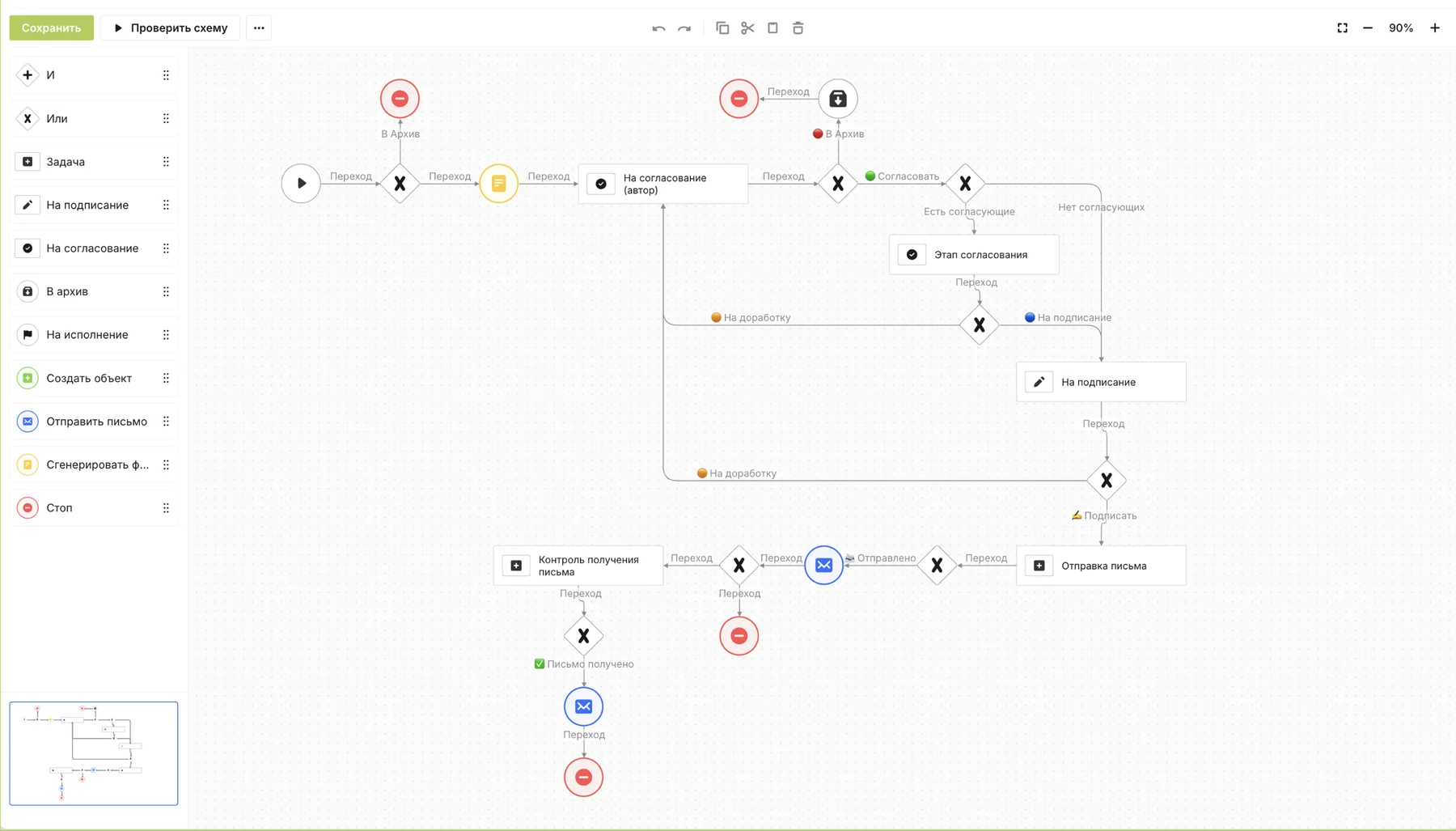
Move internal documents from creation through review and approval on a route defined by document type. Participants see who has the next step; templates can draw on information already held in the system.
CRM for projects and assets
Manage deals, organisations, assets and contacts in connected registers. Keep letters, agreements and acts in the context of the opportunity or project they belong to.
Organisation and people
Maintain organisational structure, roles and employee records in one place. Assign process responsibilities by position and keep permission changes connected to people’s roles.
Internal service desk
Let employees raise requests from the SODIS 360 interface and connect them to a room, zone or piece of equipment. Each request follows a configured route from intake to completion.
Capabilities
Support the team
Use guidance, reporting and configurable processes to make everyday work repeatable.
In-product knowledge base
Keep guidance where people do the work. Step-by-step instructions, videos, procedures, FAQs and form examples can be opened in the same interface as the process they explain.
Analytics and dashboards
Build role-based dashboards from the data teams already maintain in SODIS 360. Reports update with the underlying records, reducing manual consolidation and supporting external BI through configured APIs.
Low-code process builder
Create object types, attributes, relationships, forms and approval routes without writing application code. Administrators adapt the platform around the information and responsibilities of the organisation.
Time and effort tracking
Plan hours for design work, record actual effort and have managers confirm it. Compare planned and accepted time by task or section to understand workload and project cost as work progresses.
Capabilities
Connect company and project delivery
Bring design, site and financial information into the decisions made across departments.
Design planning and release schedule
Plan design work by discipline, package, owner and date. SODIS 360 brings scheduled releases together with effort and dependencies so the design lead can see pressure points before they become missed issues.
Construction work schedule
Manage activities with planned dates, quantities, resources and progress. Each work item carries responsibility and can be linked to inspection and acceptance, so reported completion is checked against the work actually confirmed.
Project budgets
Build and control budgets with contracts, acts, tasks and project objects connected to each cost line. Understand planned and actual spending in the context of work and supporting documents.
Payment calendar
Plan upcoming payments from agreed work, schedules and approved supporting documents. Review needs by week or month, and manage a reservation or change within the agreed approval process.
Platform
One platform behind the functions
Extend the same data and workflows with configuration and governed AI.
Connected data model
Keep relationships between work, documents, assets and decisions available to every authorised team.
Low-code configuration
Create objects, fields, forms and routes that fit the way your organisation works.
AI and automation
Let permitted agents analyse connected information and prepare the next action for review.
Next step
Bring company workflows into the project picture
Discuss an assignment, document route or customer process that currently loses its context.