Platform capability
Project budgets
Build and control budgets with contracts, acts, tasks and project objects connected to each cost line. Understand planned and actual spending in the context of work and supporting documents.
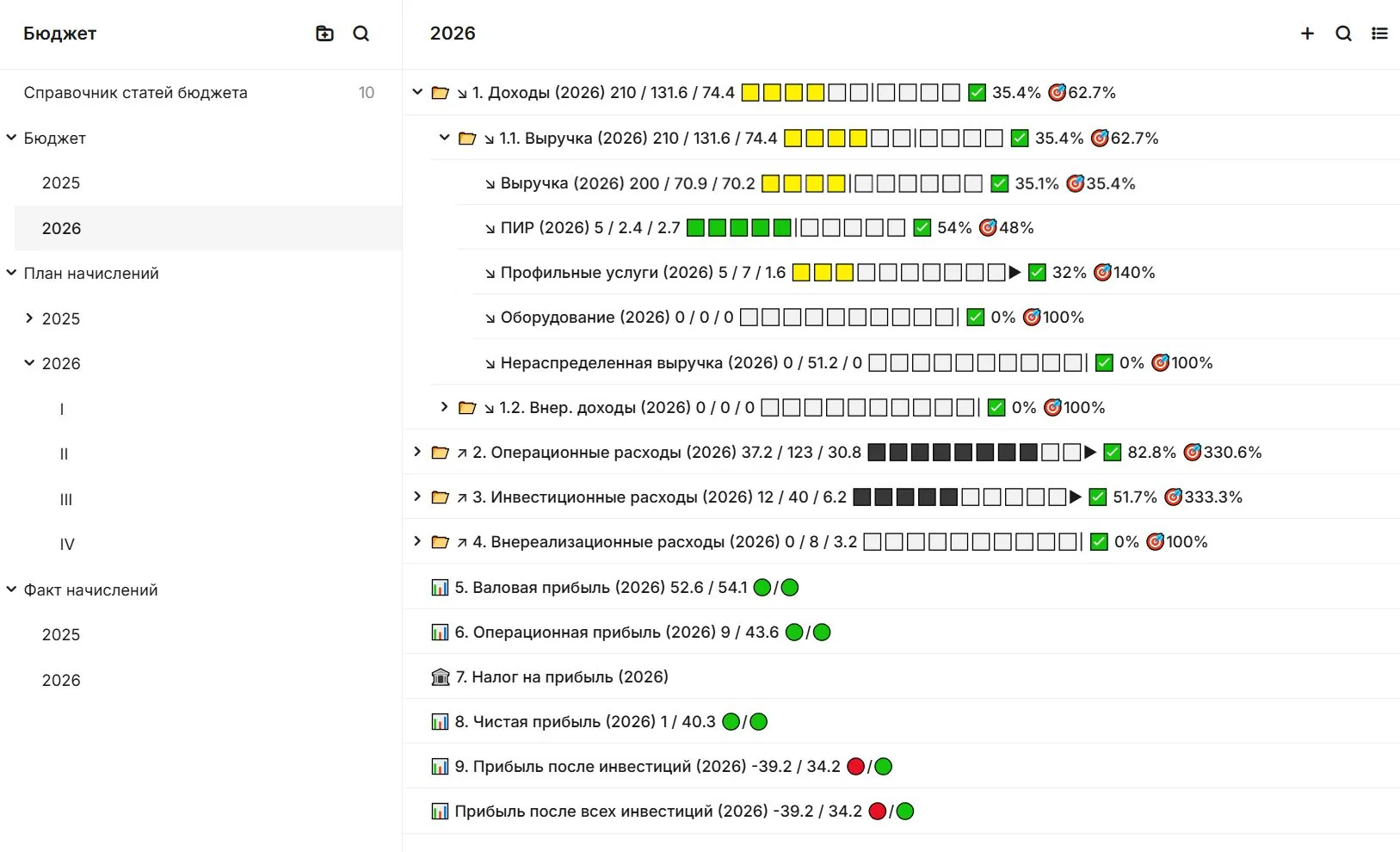
Connected work
Make project cost explainable
A manager can open the evidence behind an amount before making a financial decision.
- Structure the budgetOrganise planned costs around projects and work packages.
- Follow commitmentsSee contracts and obligations against budget lines.
- Compare plan and actualReview accepted work and recorded spending.
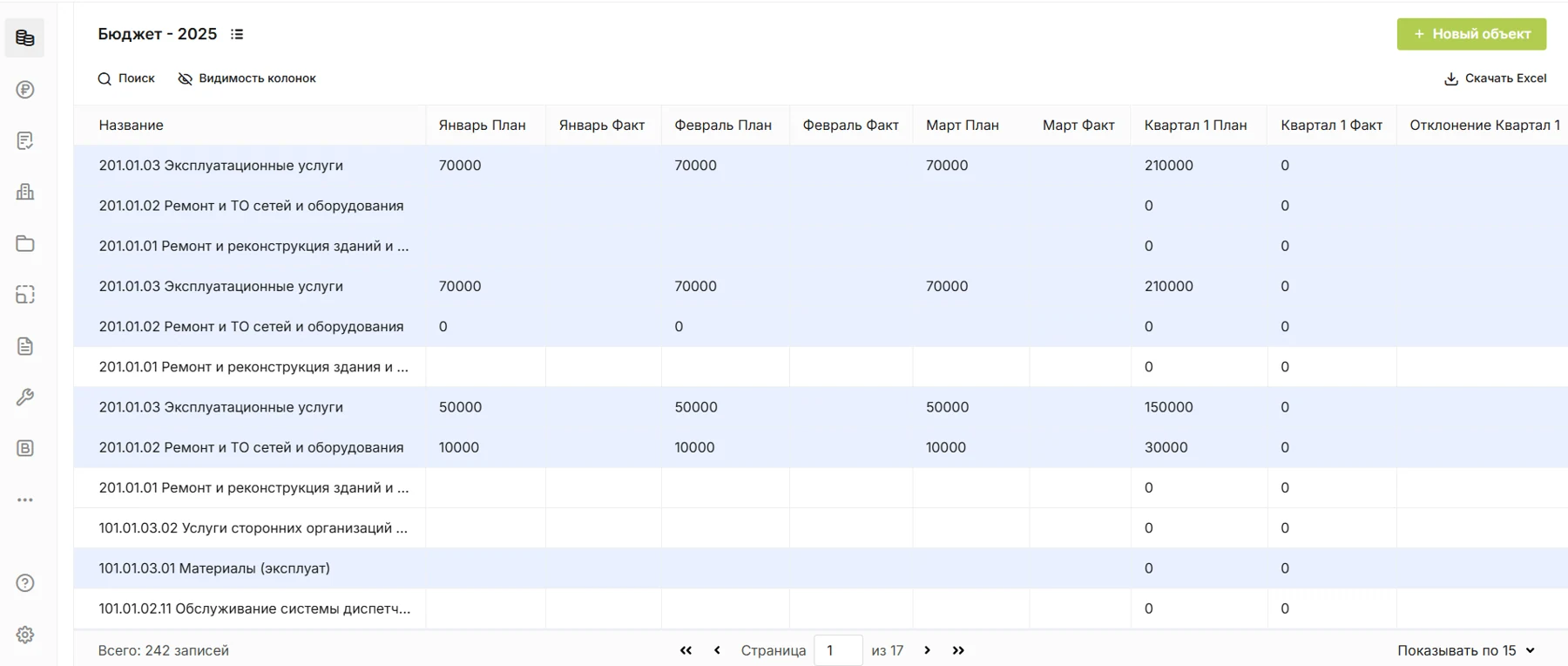
In SODIS 360
What your team can do
These actions use the records and responsibilities already connected in the platform.
Structure the budget
Organise planned costs around projects and work packages.
Follow commitments
See contracts and obligations against budget lines.
Compare plan and actual
Review accepted work and recorded spending.
Check the basis
Open acts, tasks and documents related to the cost.
Connected capabilities
Works with the rest of your project
Open the functions that add context before or after this step.
Payment calendar
Plan upcoming payments from agreed work, schedules and approved supporting documents. Review needs by week or month, and manage a reservation or change within the agreed approval process.
Estimates and costed work
Treat an estimate as a project record connected to working documentation, activities, issues and acceptance documents. See estimated value alongside the value of accepted work.
Analytics and dashboards
Build role-based dashboards from the data teams already maintain in SODIS 360. Reports update with the underlying records, reducing manual consolidation and supporting external BI through configured APIs.
Next step
See this capability in your workflow
Tell us what your team needs to manage. We can discuss the records, roles and steps needed for a useful configuration.