Platform capability
Estimates and costed work
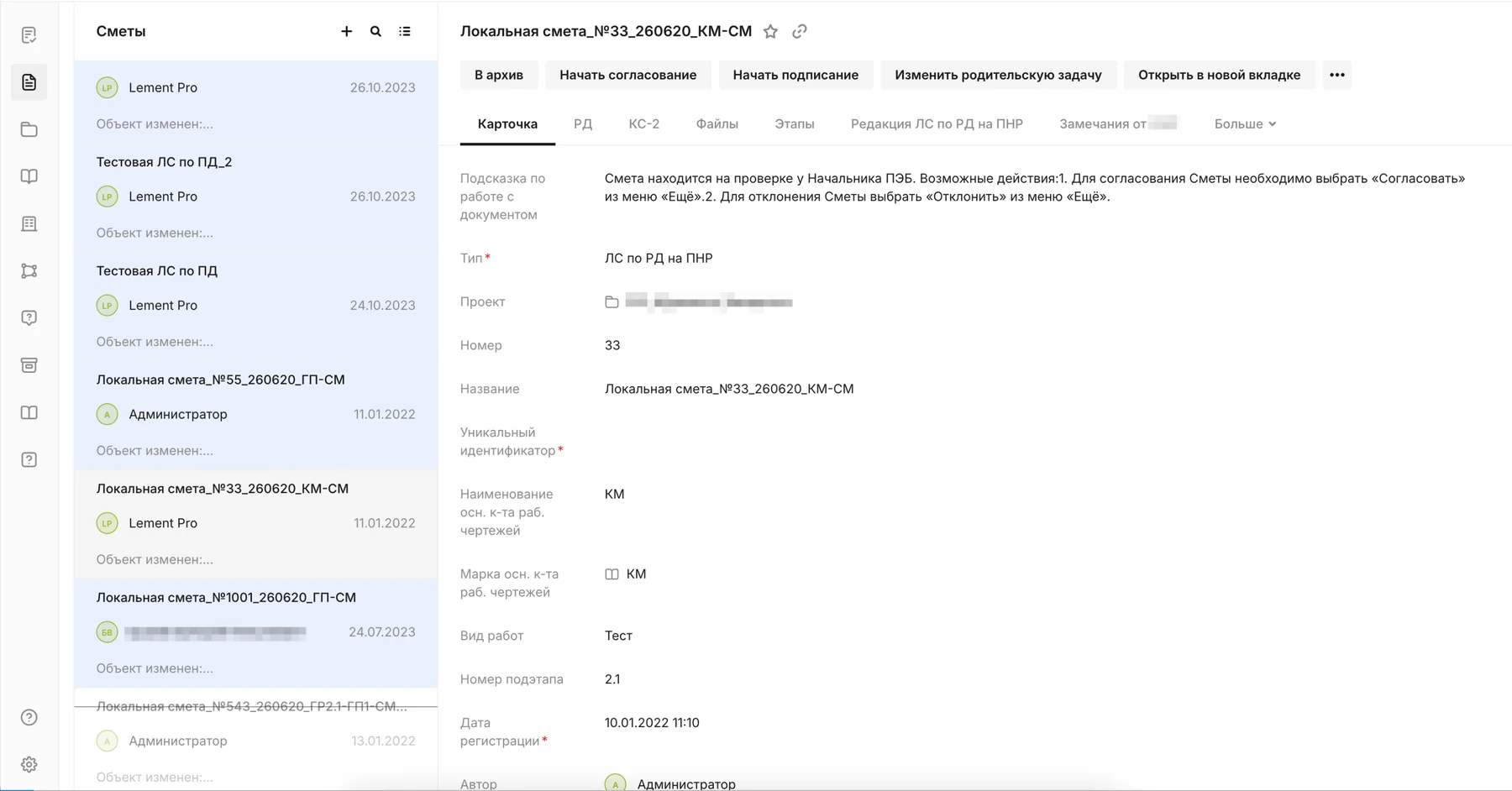
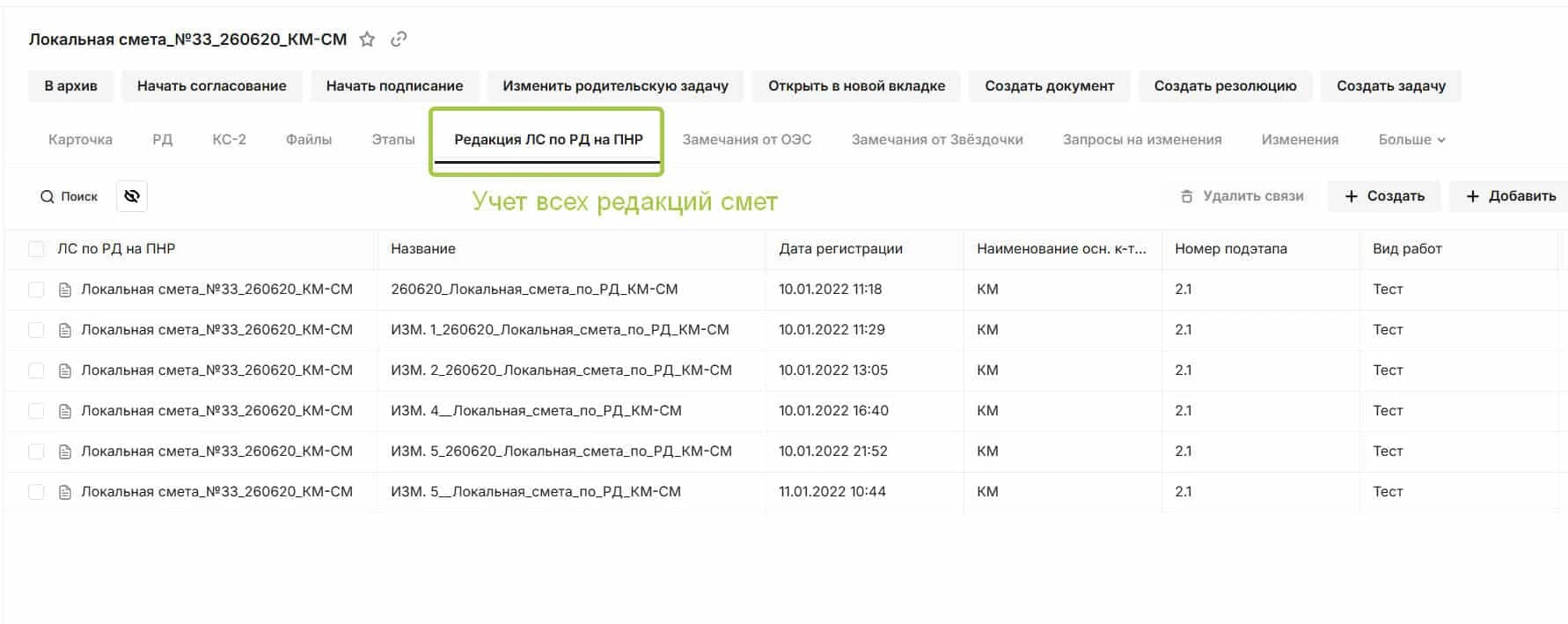
Treat an estimate as a project record connected to working documentation, activities, issues and acceptance documents. See estimated value alongside the value of accepted work.
Connected work
Keep the estimate close to delivery
A cost item is easier to defend when the team can open the drawings, work and acceptance evidence behind it.
- Structure local estimatesMaintain items and values as part of the project information model.
- Connect the basisLink an estimate to the relevant design and work documents.
- Follow accepted workCompare estimated amounts with the value of work accepted to date.
In SODIS 360
What your team can do
These actions use the records and responsibilities already connected in the platform.
Structure local estimates
Maintain items and values as part of the project information model.
Connect the basis
Link an estimate to the relevant design and work documents.
Follow accepted work
Compare estimated amounts with the value of work accepted to date.
Investigate changes
Open related tasks, issues and records when a value needs explanation.
Connected capabilities
Works with the rest of your project
Open the functions that add context before or after this step.
Design document production
Prepare and issue design documentation with consistent covers, title blocks and numbering. Text, tables and drawings can be handled in the same browser-based workflow, reducing manual reformatting after revisions.
Construction work schedule
Manage activities with planned dates, quantities, resources and progress. Each work item carries responsibility and can be linked to inspection and acceptance, so reported completion is checked against the work actually confirmed.
Project budgets
Build and control budgets with contracts, acts, tasks and project objects connected to each cost line. Understand planned and actual spending in the context of work and supporting documents.
Next step
See this capability in your workflow
Tell us what your team needs to manage. We can discuss the records, roles and steps needed for a useful configuration.