Software platform for the built environment
Manage design, construction and operations in one connected system
When plans, documents, site records and asset data live in separate places, every decision takes longer. SODIS 360 connects the work from design through construction and operations, so teams can act on the same current information.
Connected work
Follow a decision all the way through the project
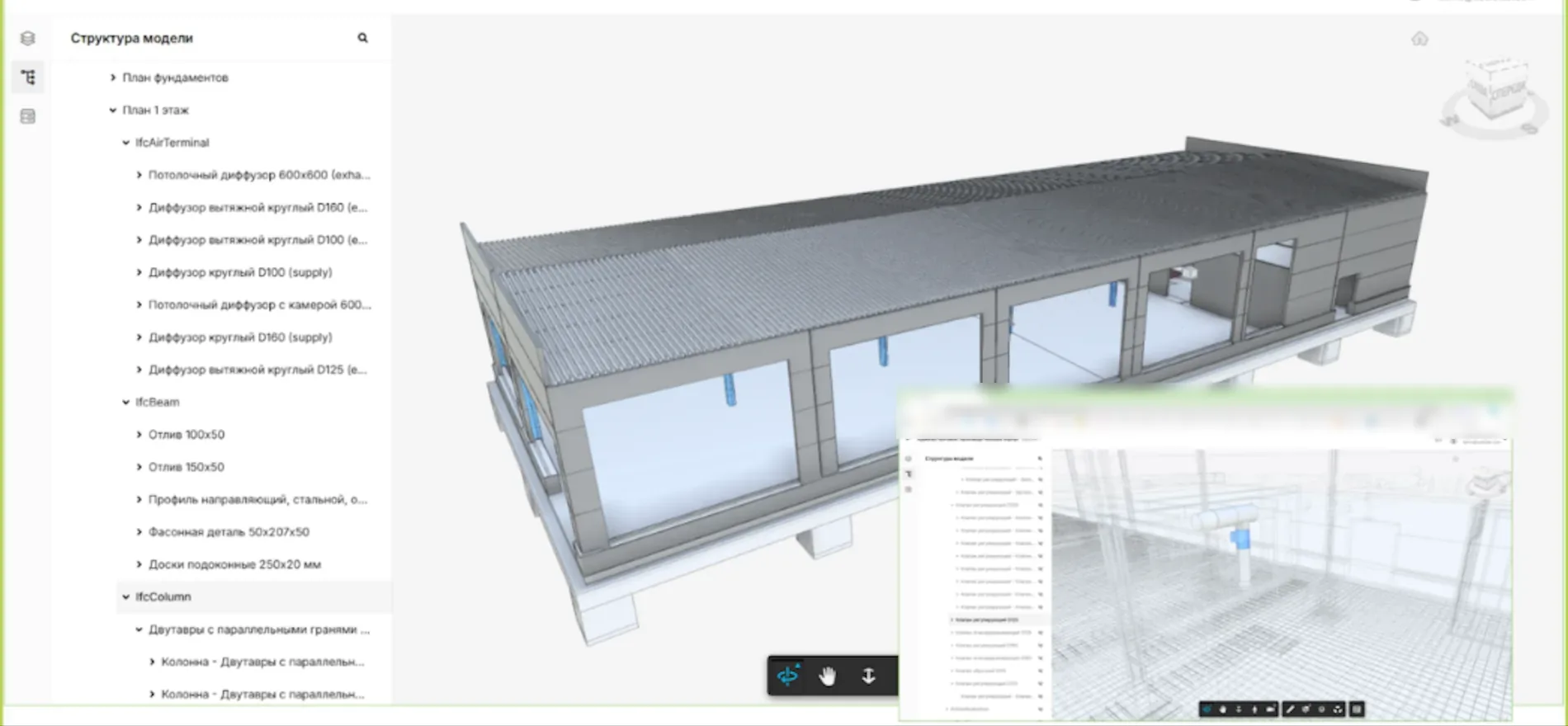
A model element, a document revision and a site task should not become three separate stories. Keep the relationships visible so each team can see what changed, who is responsible and what happens next.
- Find the sourceOpen the object or document behind a question.
- See the impactFollow its links to work, reviews and responsibilities.
- Keep the historyPreserve the decision as the project moves forward.
Why connected data matters
A continuous record from design to operations
- Design package
- Site work
- Inspection record
- Asset history
Each team sees the records relevant to its work while the links between them remain available to the next team.
Solutions
One platform across the asset lifecycle
Start with the work that matters most. Add other teams and processes as the shared model grows.
Connected work
Put the schedule and the evidence on the same page
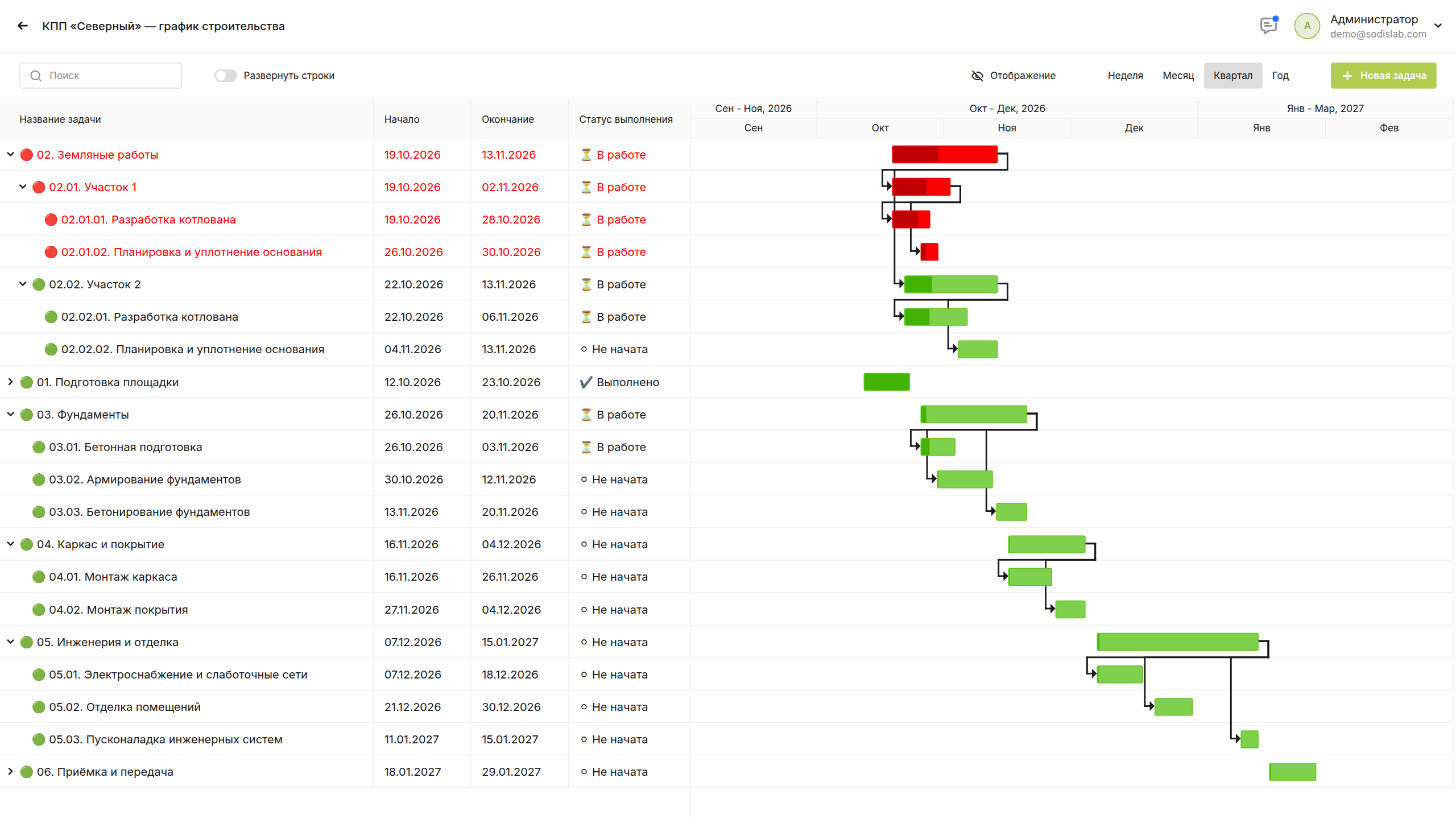
A date in a Gantt chart is useful only when the team can see the work behind it. SODIS 360 connects planned activities with progress, quantities, site records and budget context.
- Spot slippageCompare planned dates with the state of work today.
- Check the causeMove to the related documents and records.
- Act with contextAssign follow-up work to the right people.
Platform
Information stays connected
A project is more than a collection of files. SODIS 360 links the objects and decisions that teams work with every day.
One data model
Keep relationships between assets, tasks, documents and financial records visible.
Workflows that fit
Configure object types, forms, roles and approval routes for your organisation.
AI with context
Use AI to analyse connected information and prepare permitted actions within defined access rights.
Connected work
Carry useful information into operations
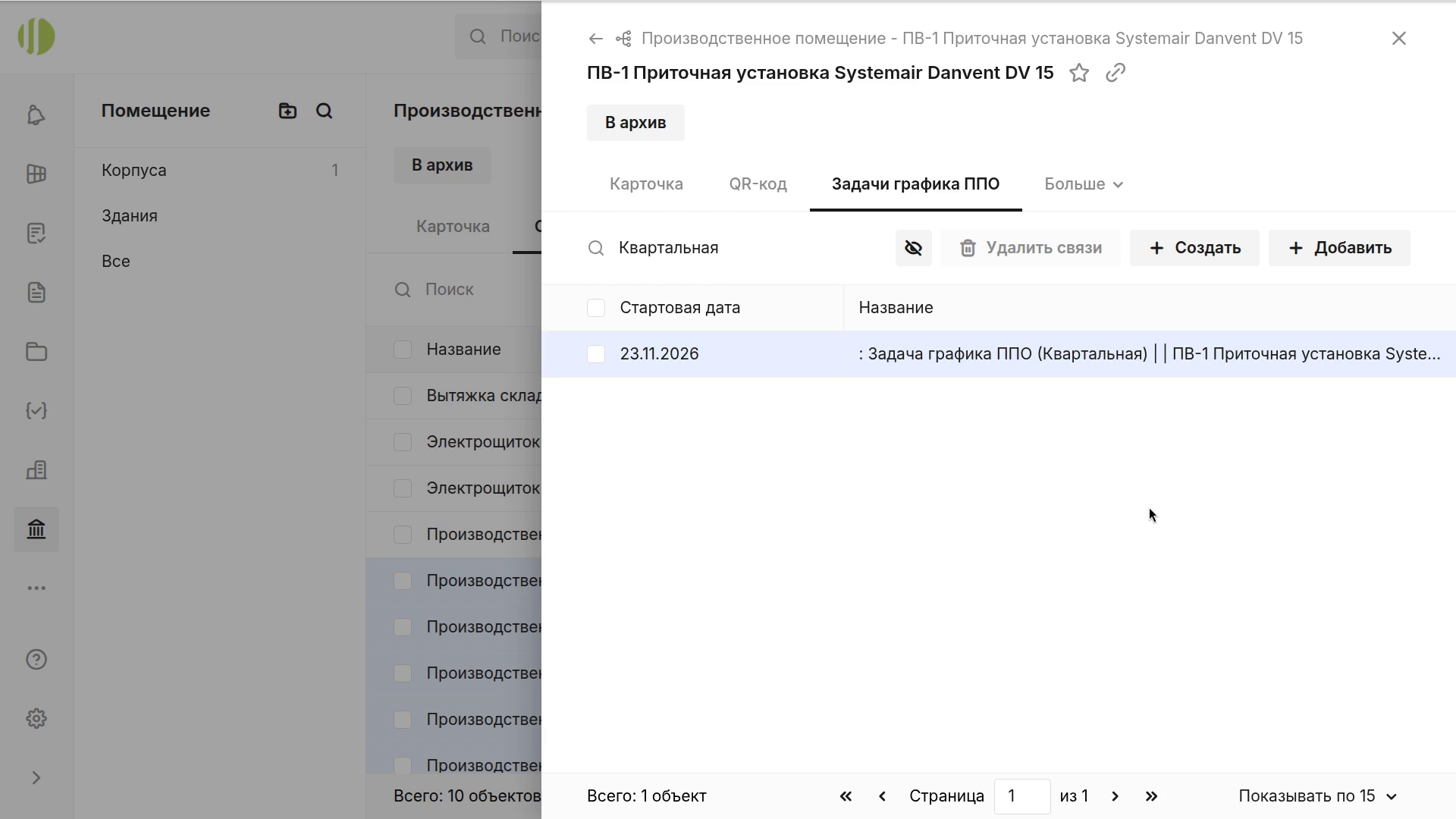
Handover should leave the facilities team with more than a folder of files. Spaces, equipment, manuals, service requests and maintenance history can remain connected to the asset.
- Know the assetFind location, properties and related documents.
- Plan the workUse service history when scheduling maintenance.
- Keep continuityBuild on information captured during delivery.
Implementation
Start with one process
Choose a practical starting point, validate it with your team and extend the configuration when the process works.
Configure
Agree the objects, roles, statuses and workflow to be used.
Bring in data
Prepare the documents and reference data needed for the first process.
Who it helps
A clearer view for every team
The same project can answer different questions without creating separate versions of the facts.
Owners and technical clients
See progress, documents and financial context behind the decisions that affect the asset.
Design leaders
Coordinate release dates, reviews, BIM context and the work needed to close comments.
Site teams
Follow work, inspections, journals and the documentation needed to verify progress.
Facilities teams
Keep spaces, equipment, service work and history available after handover.
Next step
Show us the process you want to connect
We can walk through a relevant workflow and the information your team would need to manage it.