Low-code platform
Adapt the system to the way your team works
Define your own objects, attributes, forms, views and approval routes. Changes to the configuration stay connected to the same data model rather than becoming separate applications.
Connected work
Fit the workflow to the organisation
Set up the record types, fields, roles and approval routes your team uses. The configuration stays part of the same platform and data model, rather than becoming a separate spreadsheet or application.
- Model the workCreate objects and attributes for your process.
- Guide usersShow relevant forms, statuses and next steps.
- Control accessDefine the roles allowed to act.
Configuration
Configure the process, not another spreadsheet
Start from the work and information your team already manages.
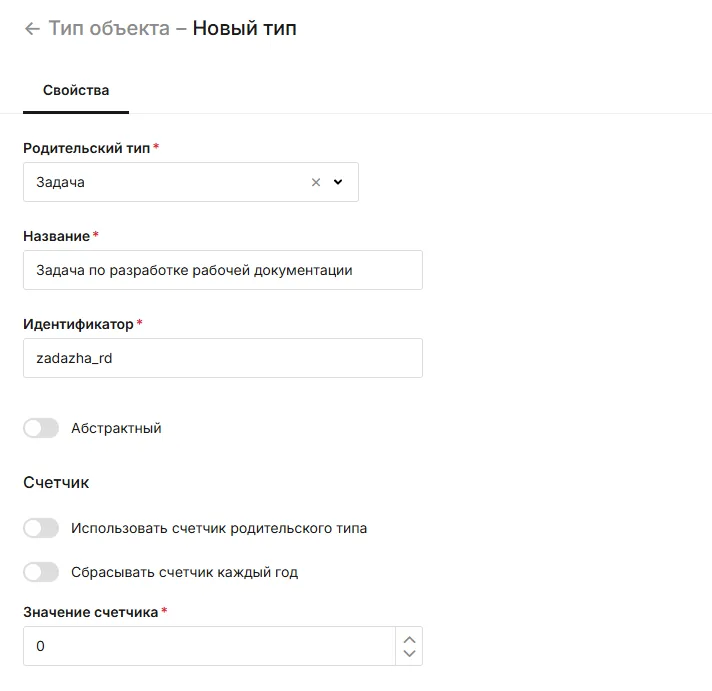
Object types and attributes
Describe the records you need and the fields they contain.
Forms and views
Show each role the information it needs to complete the next step.
Statuses and workflows
Set participants, deadlines and routes for review and approval.
Roles and permissions
Define who can see, edit and approve information.
Assisted setup
Prepare changes with AI
Where enabled, an AI agent can draft configuration from a plain-language request. An administrator reviews and applies the proposed changes.
Example: document review
Prepare roles, statuses, deadlines and notifications for a design-document approval process.
Connected capabilities
Works with the rest of your project
Open the functions that add context before or after this step.
Tasks and assignments
Create assignments with owners, participants, reviewers, deadlines and discussion. Link each task to the document, asset, company or service request that explains why the work is needed.
Business document workflows
Move internal documents from creation through review and approval on a route defined by document type. Participants see who has the next step; templates can draw on information already held in the system.
Preventive maintenance
Create recurring maintenance tasks from approved schedules, equipment types and service instructions. Technicians see the checklist and context for each task; managers see what was completed, where and by whom.
Next step
Adapt one workflow to your organisation
Show us the objects, statuses and approvals your team needs, and we can discuss a practical configuration.