Platform capability
Payment calendar
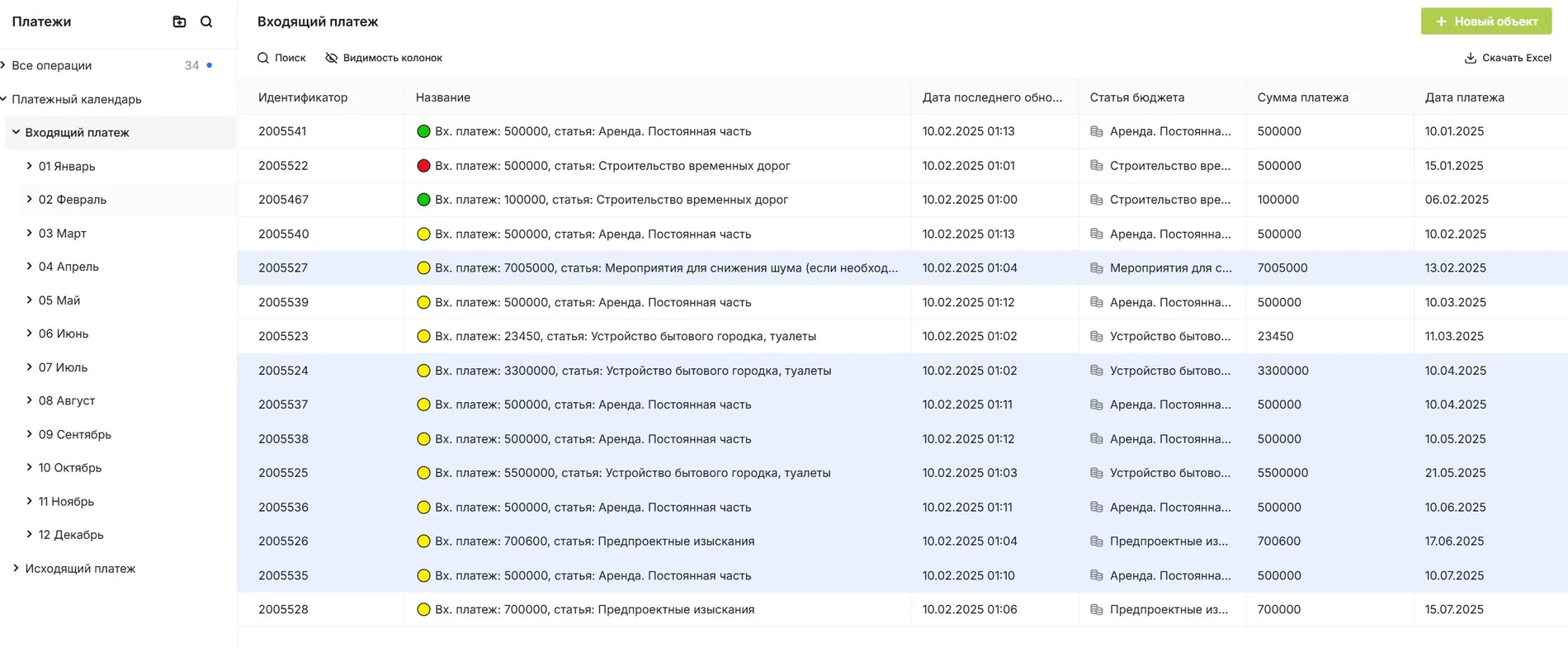
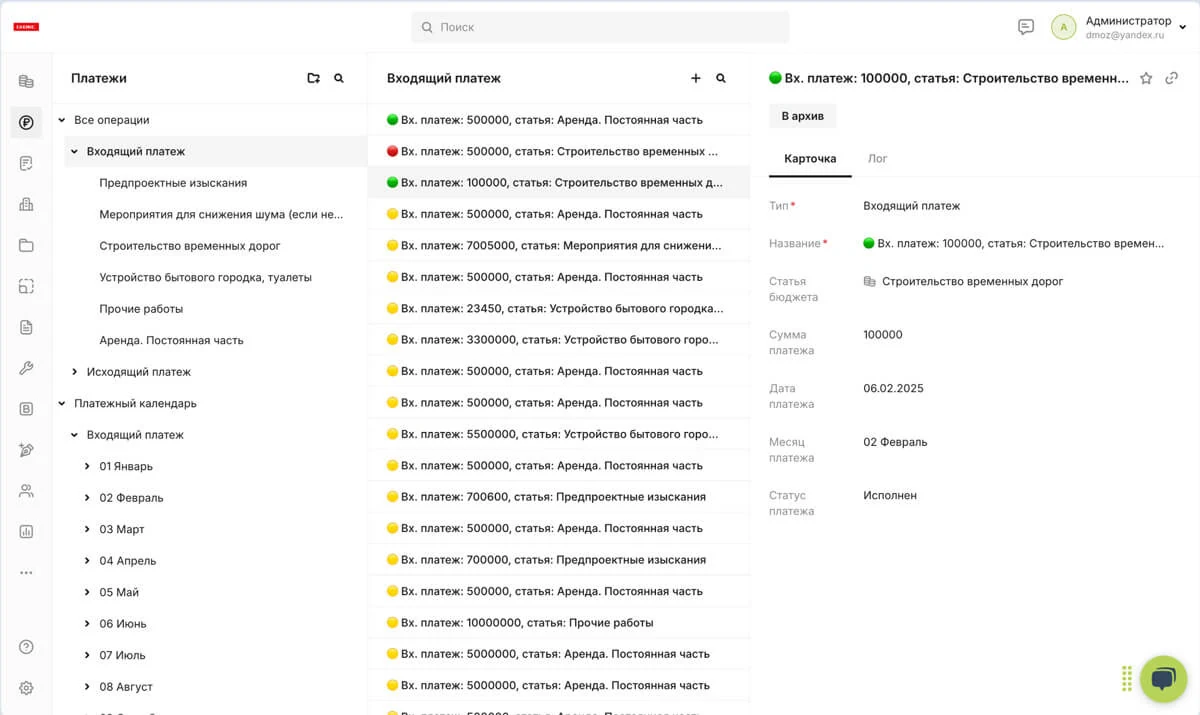
Plan upcoming payments from agreed work, schedules and approved supporting documents. Review needs by week or month, and manage a reservation or change within the agreed approval process.
Connected work
See the financial calendar before it becomes urgent
Connect future cash needs to obligations and work rather than maintaining a separate forecast.
- Build the forecastBring confirmed obligations and planned work into a payment view.
- Review by periodSee upcoming needs across weeks and months.
- Inspect the basisOpen the contract, act or task behind an item.
In SODIS 360
What your team can do
These actions use the records and responsibilities already connected in the platform.
Build the forecast
Bring confirmed obligations and planned work into a payment view.
Review by period
See upcoming needs across weeks and months.
Inspect the basis
Open the contract, act or task behind an item.
Manage changes
Reserve or reschedule a planned payment through the authorised route.
Connected capabilities
Works with the rest of your project
Open the functions that add context before or after this step.
Project budgets
Build and control budgets with contracts, acts, tasks and project objects connected to each cost line. Understand planned and actual spending in the context of work and supporting documents.
Construction work schedule
Manage activities with planned dates, quantities, resources and progress. Each work item carries responsibility and can be linked to inspection and acceptance, so reported completion is checked against the work actually confirmed.
Space and lease management
See vacant, reserved and leased spaces in the building context. Manage tenant enquiries, agreements, service charges, invoices and payments through connected records.
Next step
See this capability in your workflow
Tell us what your team needs to manage. We can discuss the records, roles and steps needed for a useful configuration.