Platform capability
Budgets and payment planning
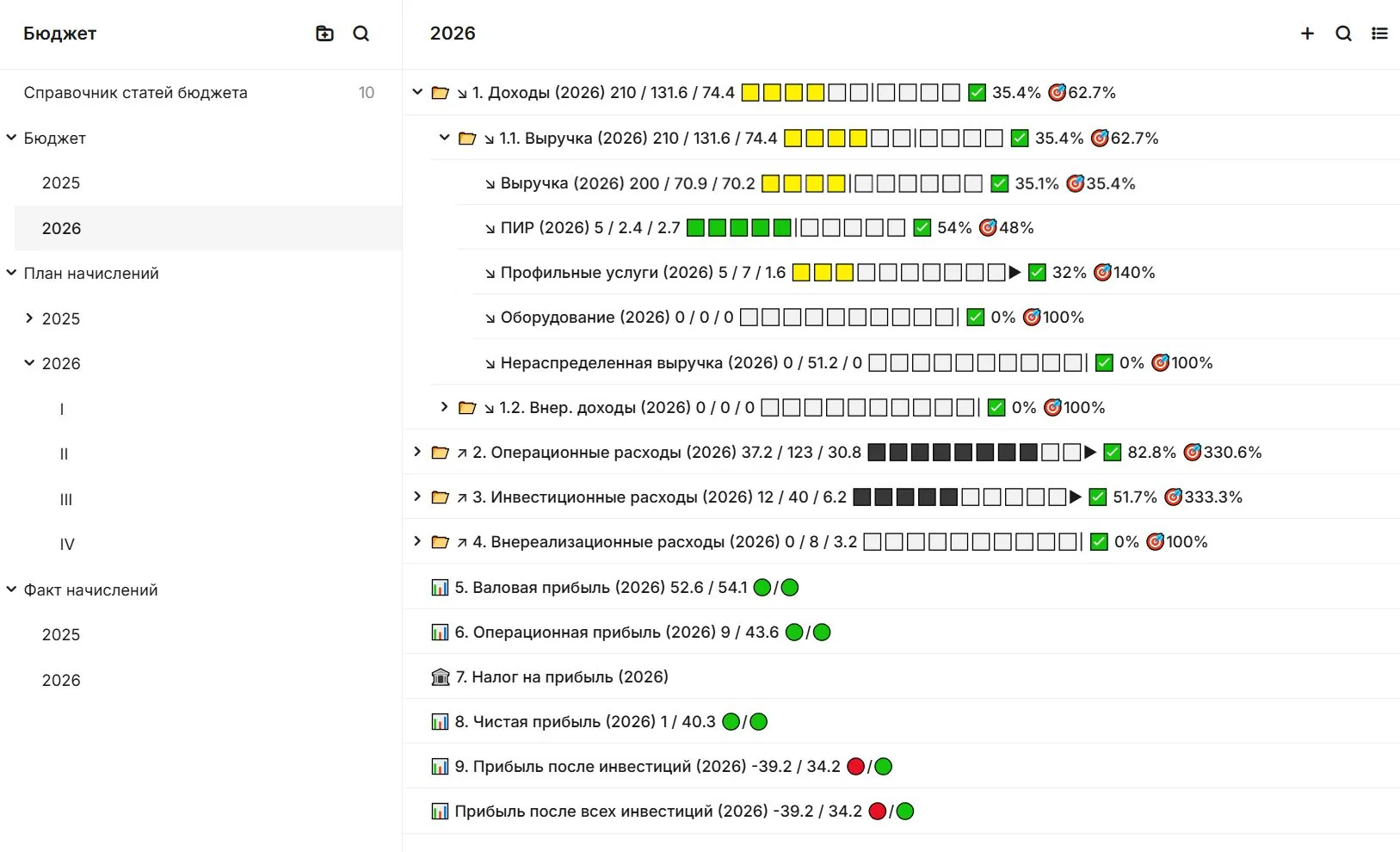
Read budgets, commitments and planned payments alongside the work and records that explain them.
Connected work
Understand the basis of a cost
Bring budget lines, obligations and planned payments closer to the work and documents that explain them. Finance and delivery teams can then discuss the same evidence.
- CompareRead plan, commitment and actual amounts together.
- VerifyOpen the supporting work or acceptance record.
- Approve deliberatelyUse the configured financial approval route.
In SODIS 360
What your team can do
These actions use the records and responsibilities already connected in the platform.
Budget structure
Compare planned amounts with commitments and actual figures.
Supporting evidence
Follow an amount to its contract, acceptance record or work item.
Payment planning
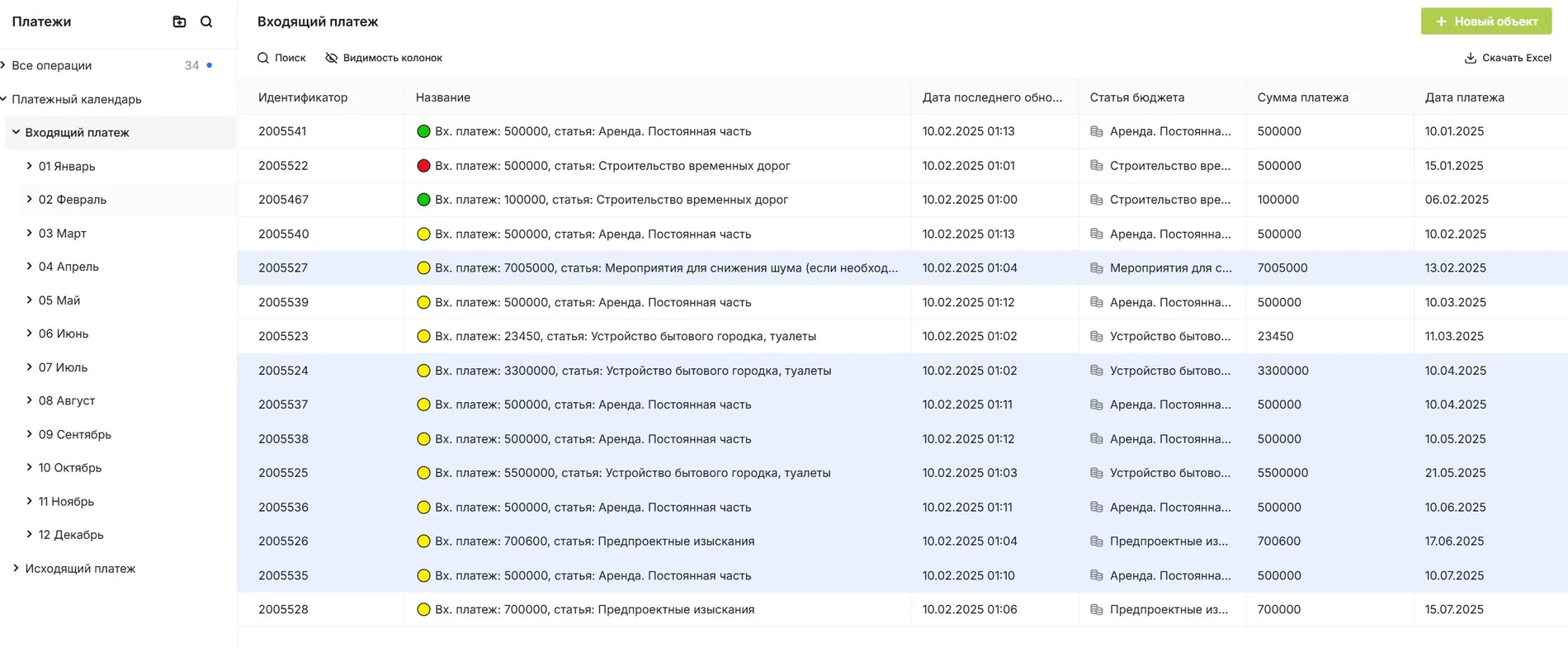
Review upcoming needs within your approval process.
Related capabilities
Explore the connected functions
Open the specific SODIS 360 functions behind this workflow.
Project budgets
Build and control budgets with contracts, acts, tasks and project objects connected to each cost line. Understand planned and actual spending in the context of work and supporting documents.
Payment calendar
Plan upcoming payments from agreed work, schedules and approved supporting documents. Review needs by week or month, and manage a reservation or change within the agreed approval process.
Estimates and costed work
Treat an estimate as a project record connected to working documentation, activities, issues and acceptance documents. See estimated value alongside the value of accepted work.
Next step
See this capability in your workflow
Tell us what your team needs to manage. We can discuss the records, roles and steps needed for a useful configuration.