Platform capability
Internal service desk
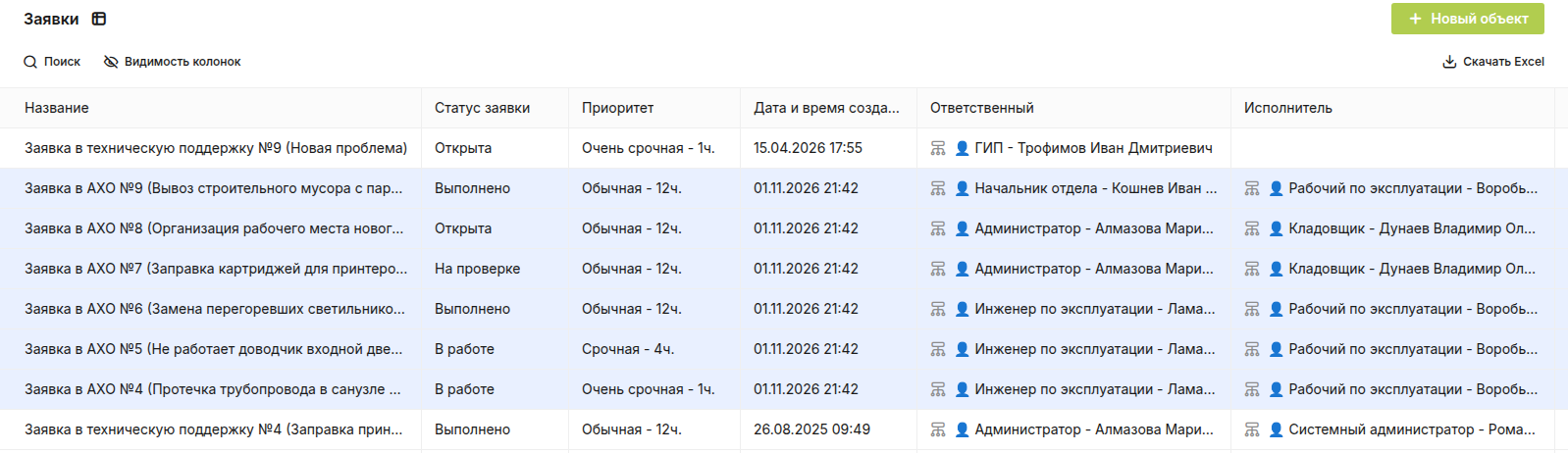
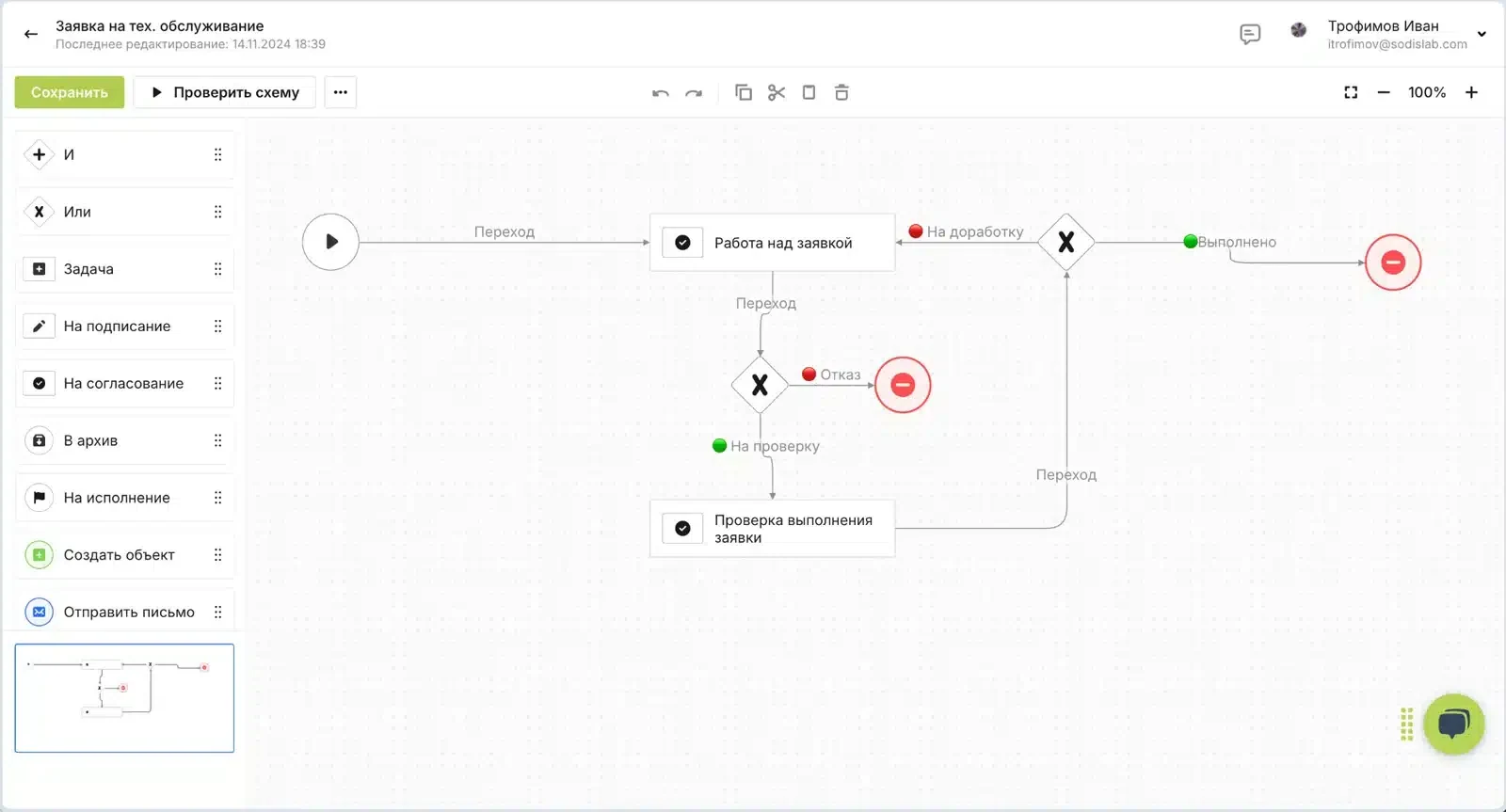
Let employees raise requests from the SODIS 360 interface and connect them to a room, zone or piece of equipment. Each request follows a configured route from intake to completion.
Connected work
Give an internal request the right context
The support team can see the place, equipment, documents and tasks involved before taking action.
- Create a requestChoose the issue type and describe the work needed.
- Connect the assetLink a room, zone or piece of equipment to the request.
- Route responsibilitySend the issue through the configured team workflow.
In SODIS 360
What your team can do
These actions use the records and responsibilities already connected in the platform.
Create a request
Choose the issue type and describe the work needed.
Connect the asset
Link a room, zone or piece of equipment to the request.
Route responsibility
Send the issue through the configured team workflow.
Track resolution
Keep status, discussion and completed work together.
Connected capabilities
Works with the rest of your project
Open the functions that add context before or after this step.
Preventive maintenance
Create recurring maintenance tasks from approved schedules, equipment types and service instructions. Technicians see the checklist and context for each task; managers see what was completed, where and by whom.
Tasks and assignments
Create assignments with owners, participants, reviewers, deadlines and discussion. Link each task to the document, asset, company or service request that explains why the work is needed.
In-product knowledge base
Keep guidance where people do the work. Step-by-step instructions, videos, procedures, FAQs and form examples can be opened in the same interface as the process they explain.
Next step
See this capability in your workflow
Tell us what your team needs to manage. We can discuss the records, roles and steps needed for a useful configuration.