Platform capability
Work schedule and quantities
Compare planned work with progress on site, keeping dates, dependencies and reported quantities in view.
Connected work
Know what has actually been done
A progress percentage is only part of the picture. Compare dates with quantities and supporting records to understand whether work is ready for the next step.
- Plan against realityRead the work hierarchy and time scale together.
- Trace the evidenceOpen quantities and documents tied to the activity.
- React earlierFocus on work that is late or lacks confirmation.
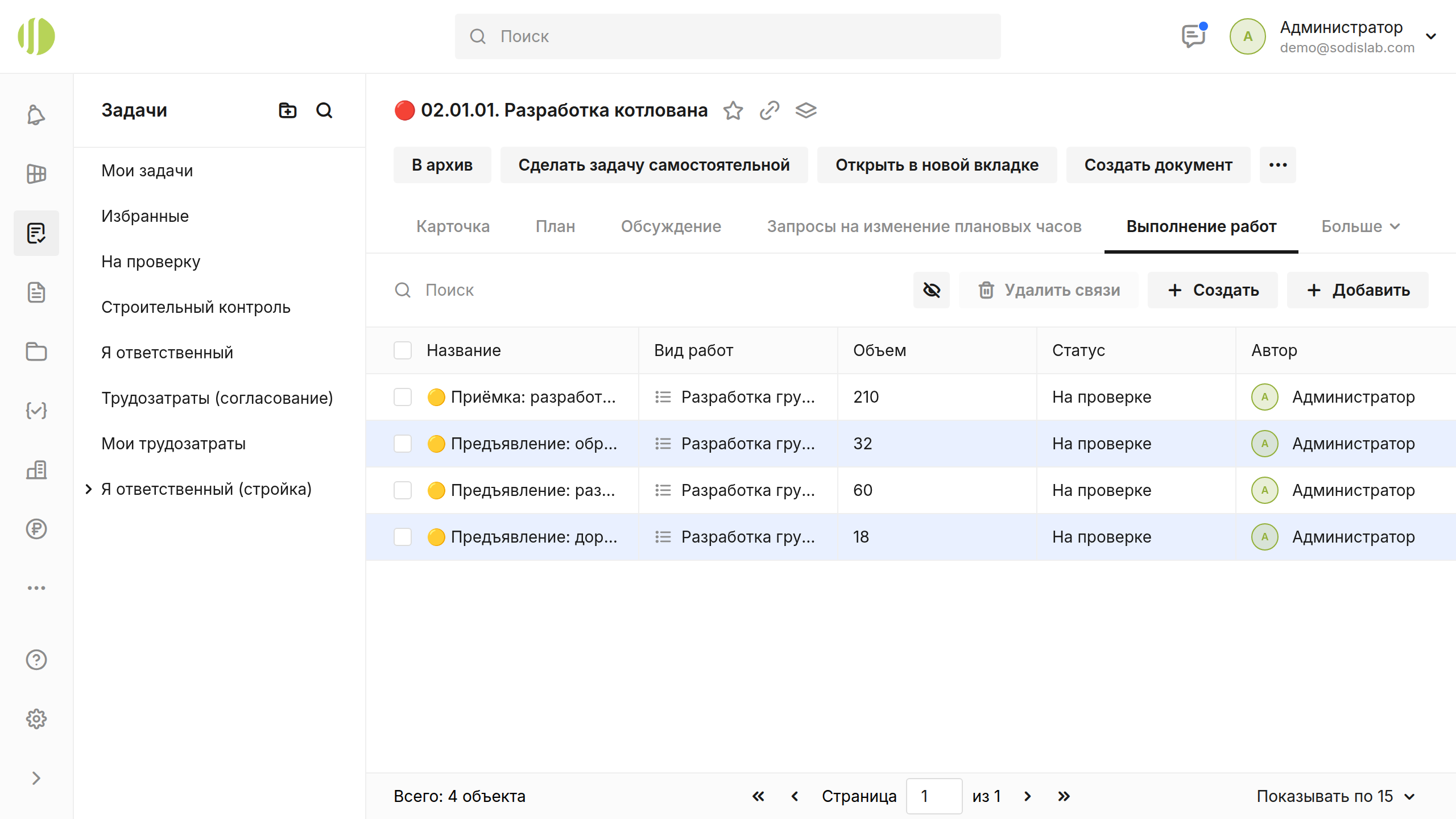
In SODIS 360
What your team can do
These actions use the records and responsibilities already connected in the platform.
Work plan
See the sequence of activities and target dates.
Actual progress
Compare reported completion with the plan.
Supporting records
Move from a work item to related quantities and documents.
Related capabilities
Explore the connected functions
Open the specific SODIS 360 functions behind this workflow.
Construction work schedule
Manage activities with planned dates, quantities, resources and progress. Each work item carries responsibility and can be linked to inspection and acceptance, so reported completion is checked against the work actually confirmed.
Site quality and construction control
Record inspections and findings, assign corrective work and follow each issue to closure. Site control stays connected to the relevant activity, responsible party and supporting documents.
Materials and procurement
Follow a material from requirement through purchasing, storage, issue to work and final write-off. Align deliveries with the construction schedule and connect quantities to specifications where configured.
Next step
See this capability in your workflow
Tell us what your team needs to manage. We can discuss the records, roles and steps needed for a useful configuration.