Platform capability
BIM and shared data
View a BIM model alongside its related documents, tasks and issues. Move from an element to the project information needed to make a decision.
Connected work
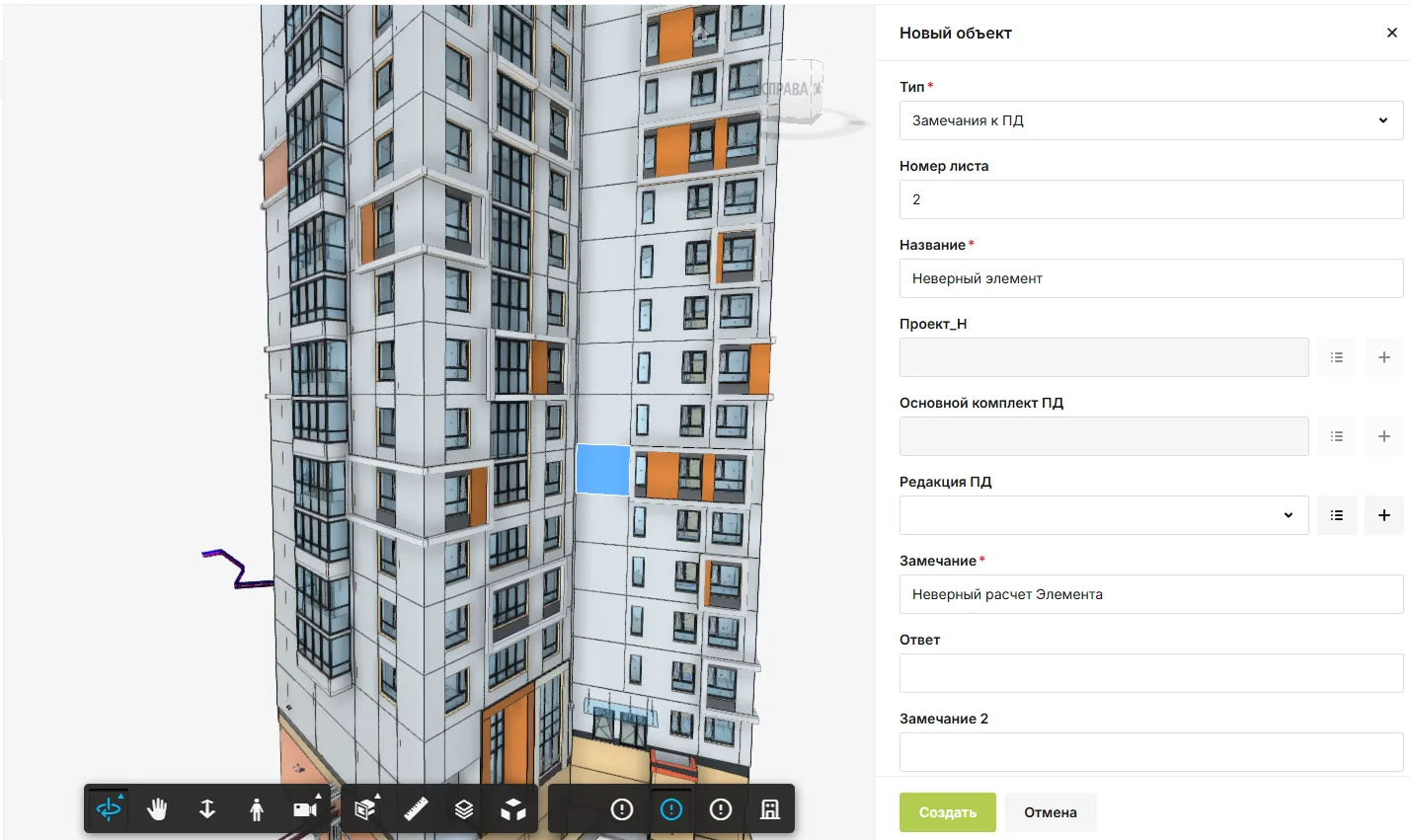
Resolve the issue with the model in view
The model becomes a practical entry point to the work behind it. Teams can move from an element to the current records instead of exchanging detached screenshots.
- Less searchingFind related documents and tasks from the same object.
- Fewer misunderstandingsReview a remark in its model context.
- Useful continuityKeep the link available for construction and operations.
In SODIS 360
What your team can do
These actions use the records and responsibilities already connected in the platform.
Model context
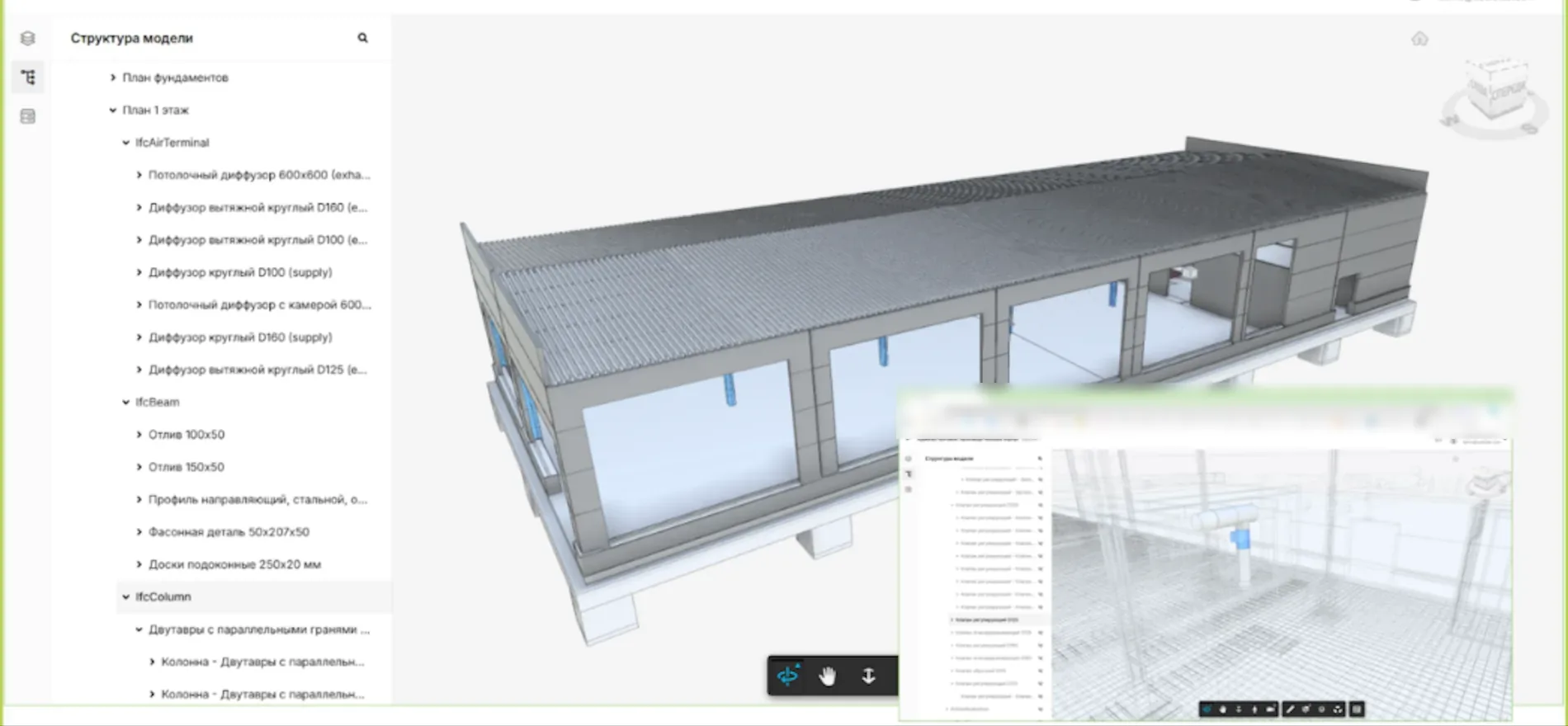
Locate an element in the model and inspect its properties.
Related records
Open connected documents, issues and tasks from the same context.
Shared work
Let authorised design, construction and operations teams use the links relevant to their work.
Related capabilities
Explore the connected functions
Open the specific SODIS 360 functions behind this workflow.
BIM and common data environment
Open BIM models inside SODIS 360 and connect individual elements to documents, work, tasks and issues. Everyone works from the same model context while seeing the records relevant to their role.
Technical document control
Keep design and construction document sets together with their revisions, status, review history and comments. Teams can see the current version and what remains to be agreed before issue.
Tasks and assignments
Create assignments with owners, participants, reviewers, deadlines and discussion. Link each task to the document, asset, company or service request that explains why the work is needed.
Next step
See this capability in your workflow
Tell us what your team needs to manage. We can discuss the records, roles and steps needed for a useful configuration.